XPlugins.iOS.BEMCheckBox v2.0.0 Released!

I’m happy to announce that XPlugins.iOS.BEMCheckBox v2.0.0 has been released! This a wrapper for the BEMCheckBox which lets you create highly customizable, animated checkboxes for iOS. You can find the v2.0.0 NuGet package here.
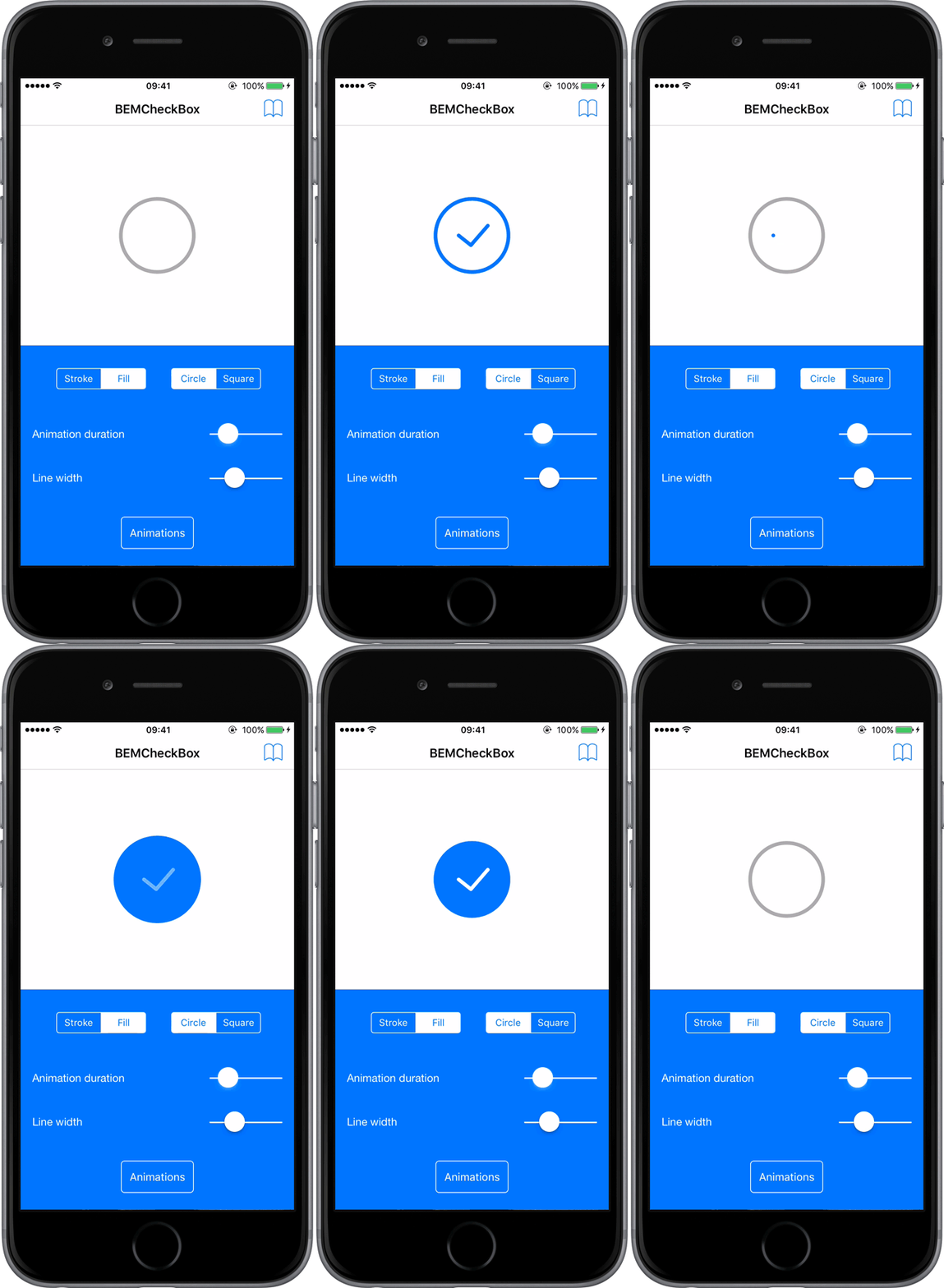
BEMCheckBox Example Gif

This release includes all the fixes to the underlying BEMCheckBox from v1.4.1 to v2.0.0. This includes the following breaking changes:

  • Minimum iOS version was increased from 8.4 to 12.

  • Events renamed:

    • DidTapCheckBox renamed to DidTap

    • AnimationDidStopForCheckBox to AnimationDidStopFor

      [Read More]

XPlugins.iOS.BEMCheckBox 1.4.3 Released

I’m happy to announce the release of XPlugins.iOS.BEMCheckBox 1.4.3.  The main feature of this release is exposing the DidTapCheckBox event in the underlying BEMCheckBox.  You can find a full list of issues fixed in this release here.

The easiest way to get this update is via NuGet:

Install-Package SaturdayMP.XPlugins.iOS.BEMCheckBox -Version 1.4.3
dotnet add package SaturdayMP.XPlugins.iOS.BEMCheckBox --version 1.4.3

Subscribe to the DidTapCheckBox event as you would any other C# event:

checkbox.DidTapCheckBox += DidTapCheckBoxEvent;

The event handler looks like:

[Read More]

Today I Learned How to Fix Illegal Characters in Path Error with TeamCity and RealmDB

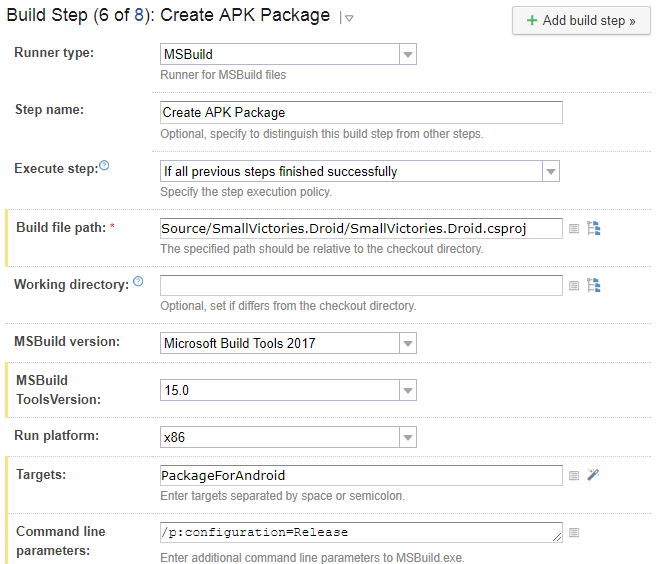
When building a Xamarin application one step is to build the Android APK file.  This is a MsBuild step in TeamCity that looks like:

TeamCity Create APK Package Build Step

This step generates the following error:

[15:55:53][Source\SmallVictories\SmallVictories.csproj] CopyRealmWeaver
[15:55:53][CopyRealmWeaver] CopyRealmWeaver
[15:55:53][CopyRealmWeaver] Copy
[15:55:53][Copy] Creating directory "*Undefined*Tools".
[15:55:53][Copy] C:\BuildAgent\temp\buildTmp\.nuget\packages\realm.database\2.1.0\build\Realm.Database.targets(28, 5): error MSB3021: Unable to copy file "C:\BuildAgent\temp\buildTmp\.nuget\packages\realm.database\2.1.0\build\..\tools\RealmWeaver.Fody.dll" to "*Undefined*Tools\RealmWeaver.Fody.dll". Illegal characters in path.
[15:55:53][Step 6/8] Error message is logged

Notice the “*Undefined*Tools” in the directory path.  To fix this step you need to add /p:SolutionDir="/" to the command line.  So now the build step looks like:

[Read More]

Notes on Fixing Incomplete Bitcode Error in TeamCity Automated Objective-c Builds

Notes I took while trying to fix the Incomplete Bitcode error in submission bug.  Not sure if it’s fixed yet as I haven’t tried submitting an app to the App Store yet.  Hopefully someone else will try it and confirm it’s fixed.

In summary when submitting an app to iTunes Connect that has the XPlugins.iOS.BEMCheckBox the user got the following error:

ERROR ITMS-90668: “Invalid Bundle Executable. The executable file ‘InstantApp.BoostOrder.Customer.Touch.app/Frameworks/BEMCheckBox.framework/BEMCheckBox’ contains incomplete bitcode. To compile binaries with complete bitcode, open Xcode and choose Archive in the Product menu.”

[Read More]

Notes: Upgrade NUnit.Xamarin to NUnit 3.8.1

The notes I took when trying to upgrade the NUnit Xamarin project to NUnit 3.8.1.  The reason I did this was to fix issue #87.  When I try to us NUnit Xamarin on another project it fails with the following error:

 
D/Mono ( 2233): Assembly Loader probing location: 'System.Runtime.Loader'. 
F/monodroid-assembly( 2233): Could not load assembly 'System.Runtime.Loader' during startup registration. 
F/monodroid-assembly( 2233): This might be due to an invalid debug installation.

Remember these are just notes and lack the polish [what polish? –Ed] of my other technical articles.

[Read More]