Fixing MSBuild not Exiting

After upgrading to Visual Studio Xamarin 4.1 from 4.0 our TeamCity build suddenly stopped working.  Actually it was working but won’t stop working.  The build would get hang after rebuilding out solution to create the IPA file.

The step in question looked like:
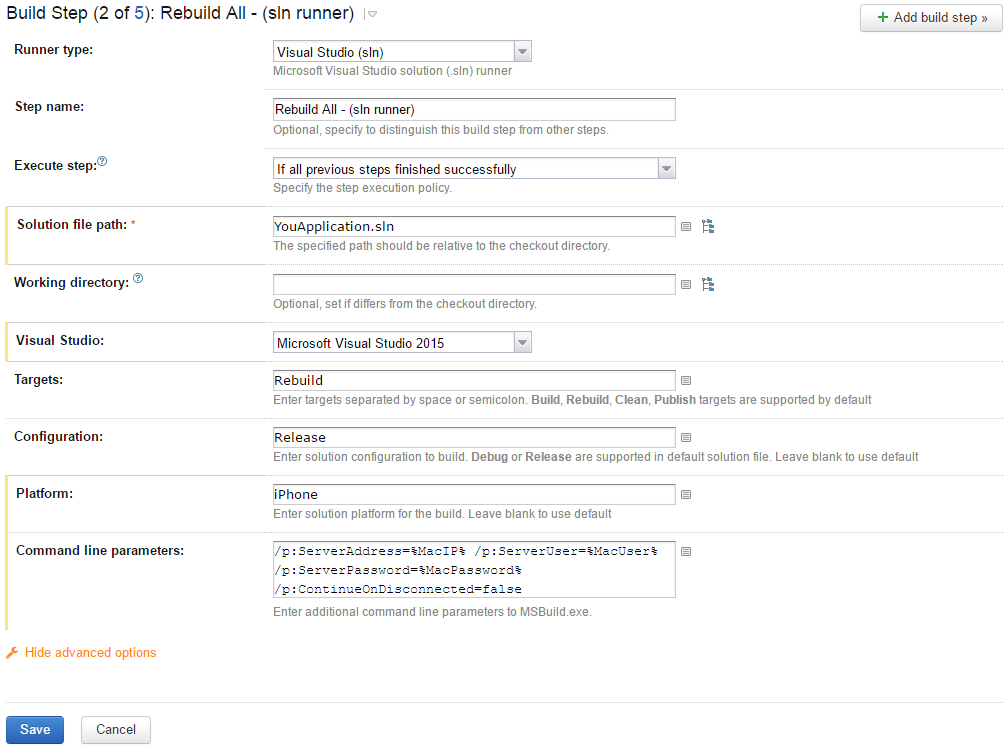
Solution Runner That Hangs

The TeamCity logs looked like:

[09:23:28][Foo\Foo.iOS\Foo.iOS.csproj] _SayGoodbye
[09:23:28][_SayGoodbye] SayGoodbye
[09:23:28][SayGoodbye] Compute signature for bin\iPhone\Release\FooiOS.app

The build would also hang if I logged into the build machine and ran the msbuild via the command line.  However, the build would not hang if built via Visual Studio.

[Read More]

Upgrading Mini-Compressor to .NET 4.0 Notes Addendum

You can read part one at Upgrading Mini-Compressor to .NET 4.0 Notes post.

One item that I feel has been neglected by Visual Studio is the Setup & Deployment projects.  There has been little improvements to them since Visual Studio 2003 but finally VS2010 has new “feature”:

  1. A customer installs your software using the installer created using VS2008.
  2. You upgrade your product to .NET 4.0 using VS2010 and create a new MSI.
  3. The customer runs your new MSI to upgrade their software.  After the upgrade is complete nothing is installed at all.

I really do mean nothing, no files in the Program Files folder, no registry entries, shortcuts, etc.  The old version is gone along with the new version.  It’s a great new feature, I mean bug.  The bug is known to Microsoft and you can read more about it here.  A summarized description of the error and some workarounds:

[Read More]
Categories: code-examples  Tags: build orca vs2008 vs2010 

Building for Both 32 and 64 Bit Architectures

My latest task has been getting Mini-Compressor to work on Windows 7.  In the end no code changes are actually required to get Mini-Compressor working on Windows 7 but the installer required a bit of work.  The amount of work was actually minimal but it turned into a big pain because I didn’t document the installer and had to relearn a couple key points.  To prevent this from happening again I thought I’d better take some notes on the problems I encountered and share them with you dear reader.  That way you won’t make the same mistakes I made twice.

[Read More]